Book
Prepare the show anywhere. Call it from the Corner.
Book is Promptside's app. It runs on the Corner itself and opens in any browser on the show network: the Corner's touchscreen, an iPad on the book, a laptop at the production desk. No app to install, and no internet needed.
Every channel at a glance.
A tile for each channel, with its state word, the cue and your note, how long the operator took to acknowledge, and how many Wings are online. The cue stack sits beside it, with CUE GO.

On the Corner, a label above every key.
The Corner's 12.3" touchscreen names each channel directly above its STBY and GO keys, and shows the current and next cue, the clock and the run timer. It's locked by default: the keys are the controls.
Scroll sideways to see the whole Corner.
Cues, keyboard first.
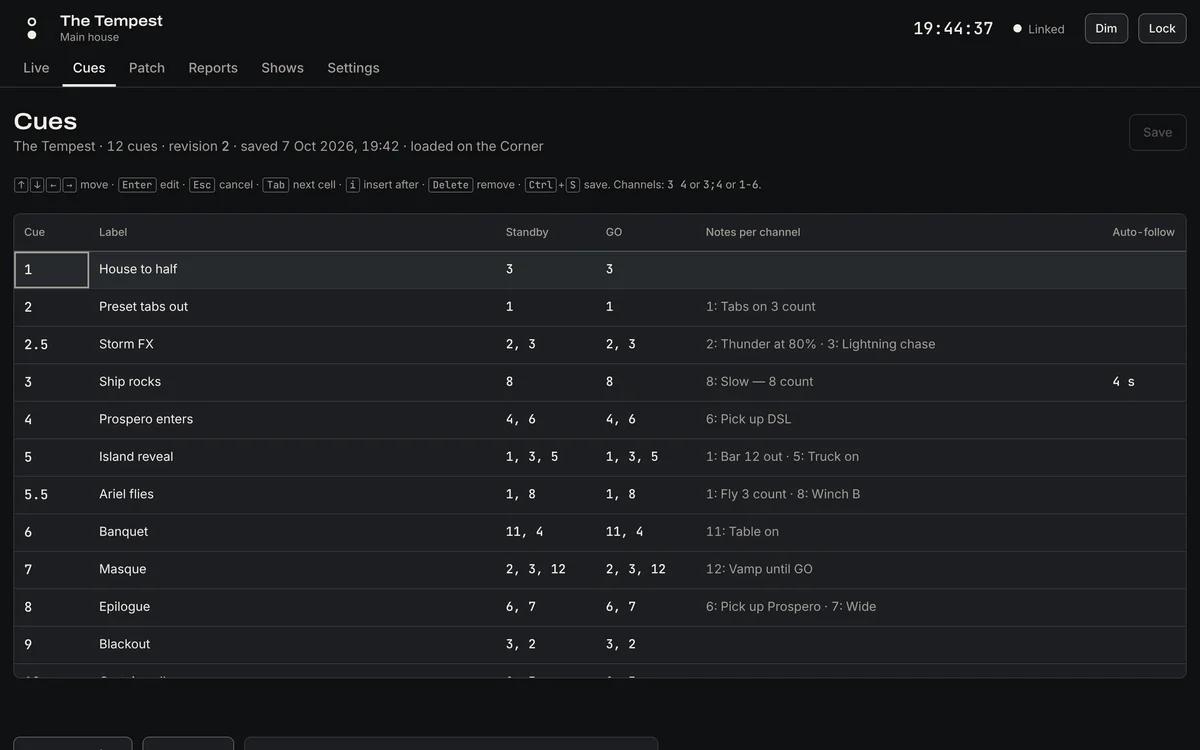
Type the cue stack the way you'd write it in the book. Insert, renumber and delete from the keyboard, give each channel its own note, and import the cue list from QLab or Eos as CSV.
Notes appear on the operator's Wing with the standby, so "Slow, 8 count" is in front of them.
Patch by dragging.
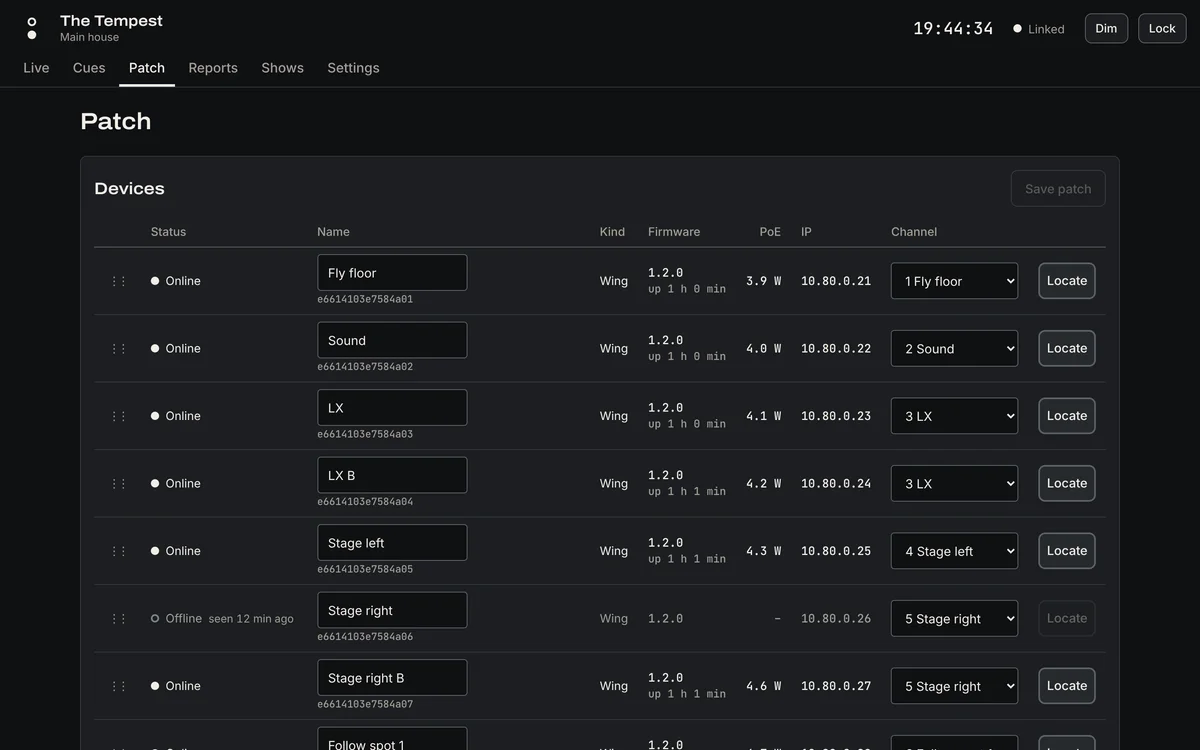
Every Wing on the network appears with its name, firmware and whether it's online. Drag it onto a channel. Press Locate and its lamps flash red and green in turn, so you can find it in the dark.
New Wings join the show when you confirm the 6-digit code on their display.
The show report, done at curtain down.
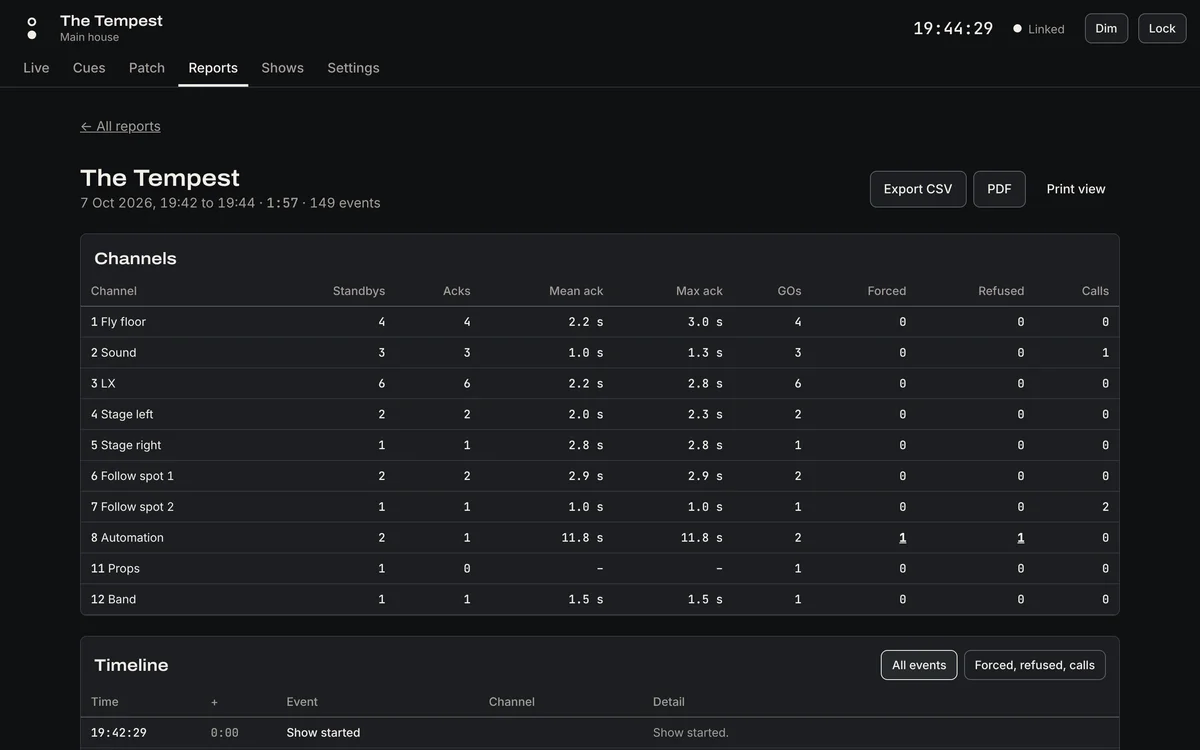
Each run gets a report: standbys, acknowledgements, mean and longest acknowledgement time for every channel, forced and refused GOs, calls, and the full timeline. Export it as CSV or PDF.
Made for the dark, and for people under pressure.
Book is used in a blackout, one-handed, mid-cue. Every screen is designed for that.
Dark first
No white flash when it opens, no bright panels, and a Dim control for the darkest corner.
Press and hold
Anything that changes the show fires on a hold, never a tap. A ring fills as you hold; lift early and nothing happens.
Palms ignored
A resting palm or a second finger doesn't press anything, and Book says why.
Lock the screen
Make it view-only with one control. Unlocking takes a deliberate hold.
State in words
Every state has a word and a shape as well as a colour. Book is built to WCAG 2.2 AA.
Any screen
iPad Safari, Chromium on a laptop, or a phone in the wings, all on the show network.

Book Cloud
Prepare from home. The Corner catches up.
Book Cloud is the same Book, online. Build the cue stack, set up channels and patch, and read past reports from anywhere. The Corner syncs whenever it has internet, and never needs it.
You, anywhere
Edit the show in Book Cloud.
Book Cloud
Keeps the shows, reports and your team.
The Corner
Checks for changes every 15 s when it's online, and uploads each run's report.
Nothing is lost
If a show was changed in both places, Book Cloud keeps both copies. The Corner never changes the show it's running mid-run.
The DSM has the last word
A change to the loaded show's patch or channels waits until the Corner is idle, and the DSM confirms it.
Watch, don't touch
A production manager can see each Corner's state from the office, updated every 5 s. Live control from the cloud is deliberately impossible.
Teams and roles
Owners, admins, editors and viewers. Editors and viewers can be limited to the venues they work in. One account works across every team you belong to.
Link a Corner in seconds
The Corner shows a code and a QR code; an admin scans it and picks the venue.
Free to start
Preparing shows, sync, reports and the remote view are free. Paid plans add backups, the report archive and fleet care.